Design the landscape today. See how it lives tomorrow.
Plan terrain, hardscape and living plants in one 3D landscape model — then see every season and the garden at year 3 and year 10 before anything goes in the ground.
No account needed to try it. Works with OpenPlan3D. See how it works ↓
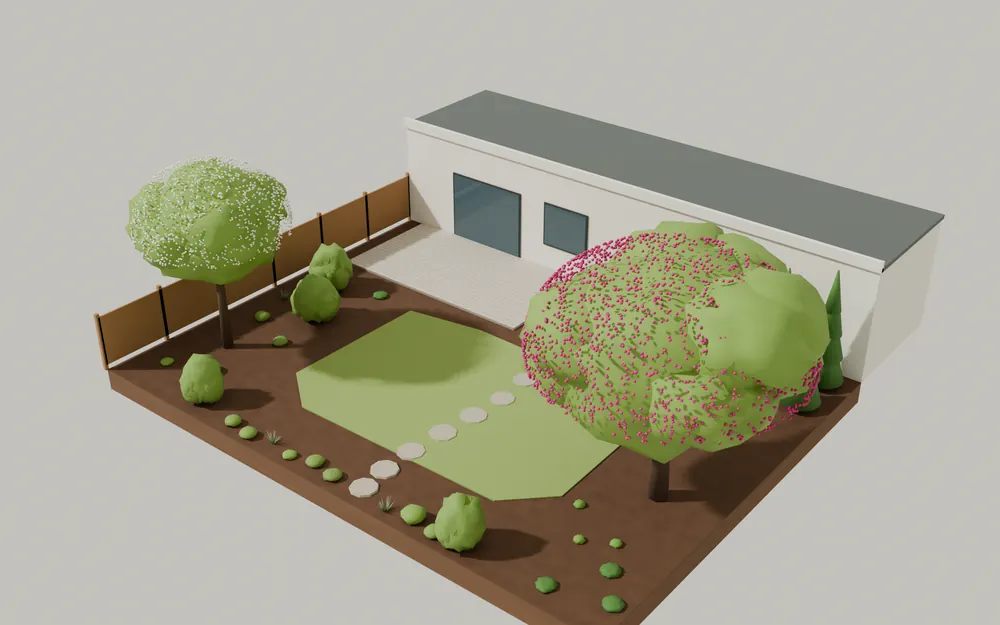
In bloom: Eastern redbud, Downy serviceberry, Foamflower. Redbud canopy ≈ 4.9 m wide.
Drawn live from the sample garden’s data using the planner’s own growth and season rules. Drag the sliders or press play.
Why OpenLandscape3D
Plants that know where they grow
Every plant carries mature size, growth rate, hardiness, sun, moisture, bloom months and native range — with a cited source and a visible review state. Checks flag a zone mismatch, a wet-site plant in a dry bed, or a tree that will crowd the house in ten years.
Planting design →The whole site, not just the beds
Boundary, spot elevations, lawn, beds, patios, paths, decks, fences, retaining walls and site objects live in the same model as the plants, so quantities and checks see everything at once.
Terrain & hardscape →Open with OpenPlan3D
Bring in a house drawn in OpenPlan3D and design around it. Export back as an OpenPlan3D file: the building comes back unchanged and every plant, fence and patio arrives as a sized catalog object.
Interoperability →From an empty lot to a schedule you can plant from
- 01
Map or capture
Import a house from OpenPlan3D or draw the boundary. Set region, zone, frost dates and north.
- 02
Shape terrain
Add spot elevations and lay out lawn, beds, patios, paths and walls.
- 03
Plant & design
Place regional plants singly or as hedges, masses and grids with real spacing.
- 04
Validate
Hardiness, sun, moisture, mature overlap, wall clearance and bloom gaps — each with a stable rule id.
- 05
Visualize
Scrub any month and any year after planting, in plan or 3D.
- 06
Schedule & share
Plant schedule and task calendar CSVs, plus an open file OpenPlan3D imports.
Start from a finished garden
Open a complete design for your region — house, hardscape, hedges and drifts already planted — then move, swap and add plants. It opens as your own copy in your browser; no account needed.
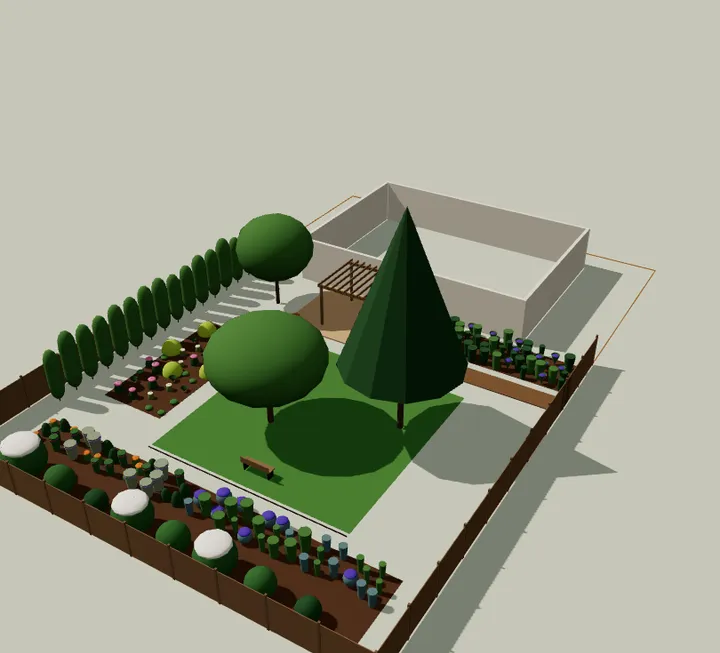
Northeast · Zone 6b
Northeast back yard
Patio with pergola, lawn, privacy hedge, native pollinator border, shade bed and a rain garden.
171 plants · 24 species
Open this sample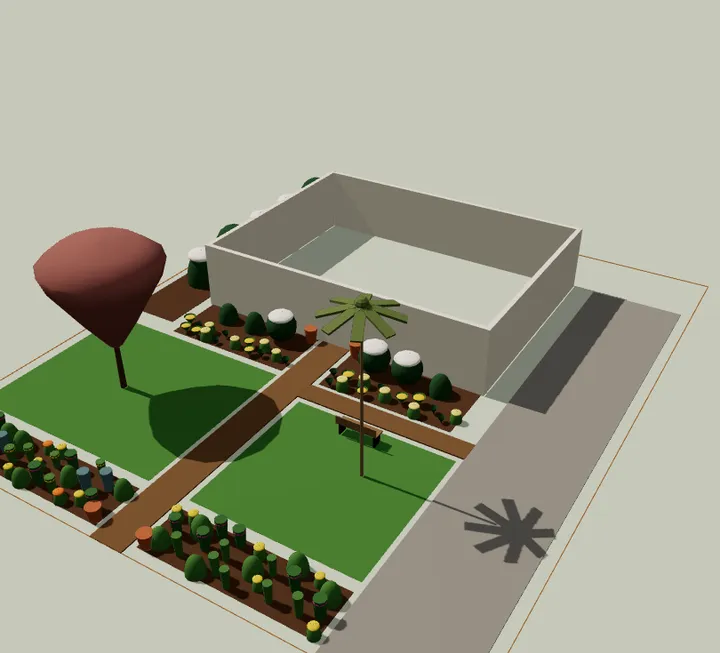
Southeast · Zone 8a
Southeast front yard
Driveway, front walk, foundation beds, a crape myrtle and palmetto, and a native meadow strip.
102 plants · 16 species
Open this sample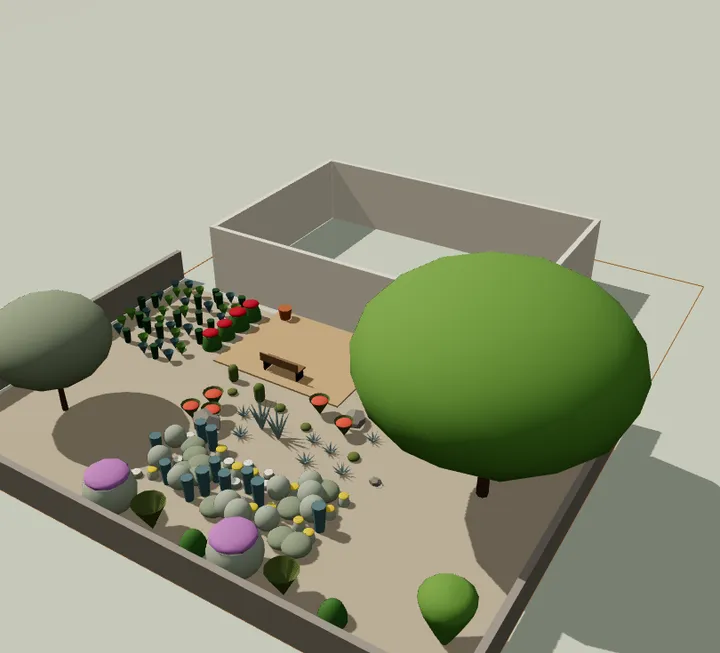
Southwest · Zone 9a
Southwest dry courtyard
Water-wise courtyard: gravel and flagstone, desert trees, agaves and yuccas, a wildflower drift and a basin.
131 plants · 21 species
Open this sample
The bloom calendar and plant schedule come from the same design
These are generated from the sample garden above, using the same rules the planner exports.
Bloom calendar
Each bar is a month in flower.
| Plant | J | F | M | A | M | J | J | A | S | O | N | D |
|---|---|---|---|---|---|---|---|---|---|---|---|---|
| Eastern redbud : Mar–Apr | ||||||||||||
| Downy serviceberry : Mar–Apr | ||||||||||||
| Summersweet : Jul–Aug | ||||||||||||
| Foamflower : Apr–May | ||||||||||||
| Purple coneflower : Jun–Sep | ||||||||||||
| Butterfly weed : Jun–Aug | ||||||||||||
| Goldsturm black-eyed Susan : Jul–Oct | ||||||||||||
| New England aster : Aug–Oct |
Something is in bloom every month from April to October.
Plant schedule
Columns match the CSV export.
| Code | Plant | Qty | Size | Mature H × W |
|---|---|---|---|---|
| AMAR | Amelanchier arborea · Downy serviceberry | 1 | #15 | 6.5 × 5.5 m |
| CECA | Cercis canadensis · Eastern redbud | 1 | #15 | 7.5 × 8.5 m |
| THOC | Thuja occidentalis · Emerald Green arborvitae | 3 | #7 | 4 × 1.3 m |
| CLAL | Clethra alnifolia · Summersweet | 2 | #3 | 1.7 × 1.4 m |
| ILVE | Ilex verticillata · Winterberry | 2 | #3 | 2.4 × 2.4 m |
| SCSC | Schizachyrium scoparium · Little bluestem | 4 | #1 | 0.9 × 0.5 m |
| ASTU | Asclepias tuberosa · Butterfly weed | 2 | #1 | 0.6 × 0.5 m |
| ECPU | Echinacea purpurea · Purple coneflower | 4 | #1 | 0.9 × 0.5 m |
| RUFU | Rudbeckia fulgida var. sullivantii · Goldsturm black-eyed Susan | 3 | #1 | 0.7 × 0.5 m |
| SYNO | Symphyotrichum novae-angliae · New England aster | 2 | #1 | 1.2 × 0.8 m |
| CAPE | Carex pensylvanica · Pennsylvania sedge | 3 | plug | 0.2 × 0.3 m |
| TICO | Tiarella cordifolia · Foamflower | 4 | plug | 0.2 × 0.5 m |
The same garden, through the year
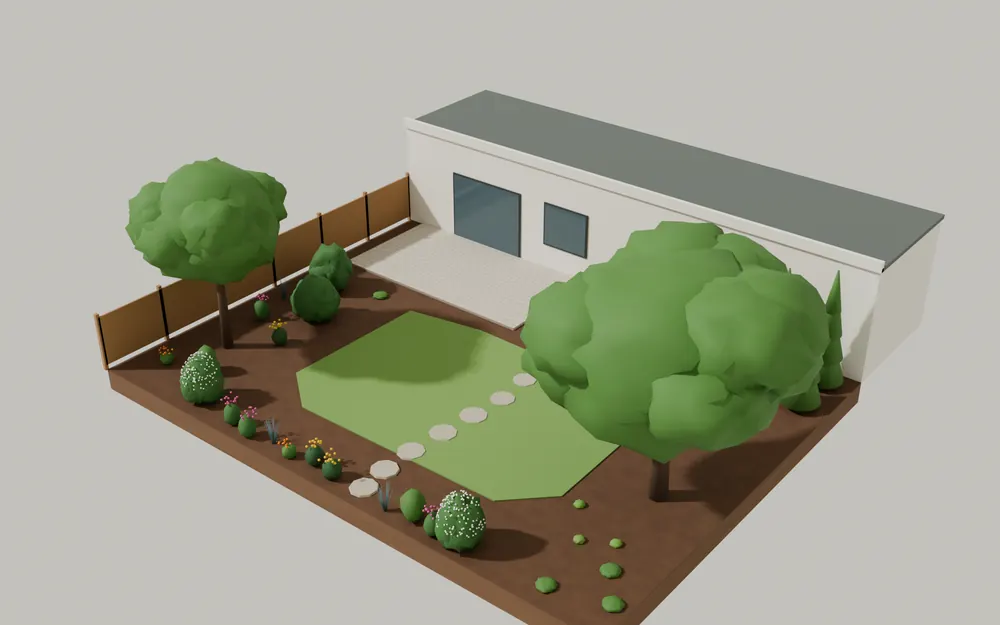
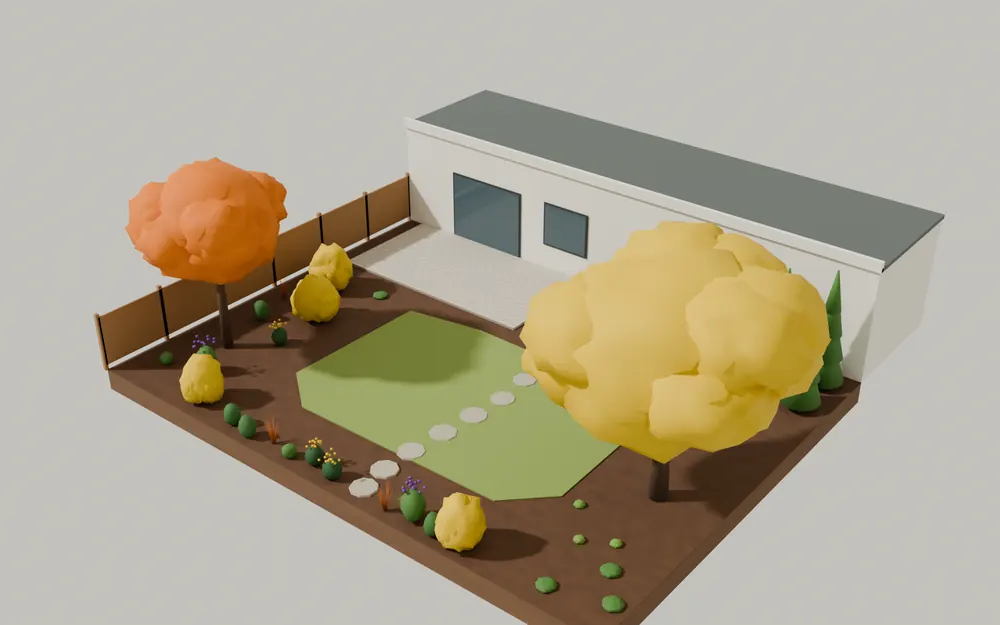
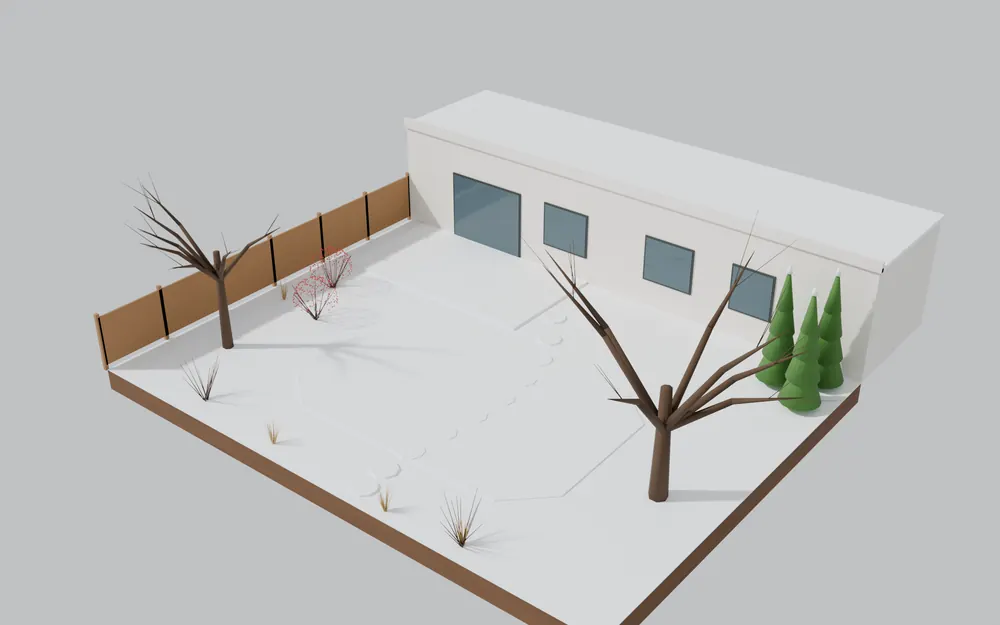
Rendered in Blender from the same plant data and season rules — redbud and serviceberry in April, the perennial border in July, fall colour in October, structure and winterberry fruit in January.
Approachable for homeowners, with professional data underneath
Homeowners
Plan a yard you can grow into, at your own pace.
Landscape Designers
Compose, validate and present planting plans.
Contractors
Quantities, phasing and install schedules from the plan.
Nurseries
Publish structured plant data designers can use.
Property Managers
Plan maintenance, replacement and long-term growth.
We’re recruiting pilot designers and nurseries in the three launch regions. Join the pilot.
Three U.S. pilot regions, 227 plants, every fact sourced
Recommendations depend on where you are. The catalog starts with three regions with very different climates, and stores facts separately from recommendations — a plant can be a valid species without being right for your site.
Every fact shows where it came from
Plant pages show the source, retrieval date, method and review state behind the data. Launch data is honest about being a draft.
- Mature height
- 6–9 m
- Hardiness
- USDA 4–9
- Source
- OpenLandscape3D editorial compilation (pass 1)
- Retrieved
- 2026-10-06
- Confidence
- medium
Catalog ol-plants@0.1 · 16 listed sources · Data & attribution
Free and open source
OpenLandscape3D
$0
- ✓ Web planner, plan and 3D views
- ✓ Full regional plant library and design checks
- ✓ Season and growth preview
- ✓ Plant schedule, task calendar and OpenPlan3D export
Questions
Is OpenLandscape3D free?
Yes. The planner, the project format and the plant catalog schema are open source and free to use.
Do I need to install anything?
No. The web planner runs in a current desktop or tablet browser. An iPhone and iPad app for site capture and review is in development and not yet on the App Store.
Will it tell me which plants will thrive in my yard?
It tells you which plants match the conditions you enter — region, hardiness zone, sun and moisture — and explains every mismatch. It cannot promise a plant will thrive: soil, drainage, microclimate and care matter, so confirm choices with a local nursery or extension office.
Where does the plant data come from?
Each fact cites a source listed on the data page, with a retrieval date and review status. Launch records are editorial compilations marked “draft — unreviewed” until a regional reviewer signs off.
Does it work with OpenPlan3D?
Yes. OpenLandscape3D reads and writes OpenPlan3D files. A house drawn in OpenPlan3D keeps its walls, doors and windows exactly, and plants, fences and patios are exported as OpenPlan3D catalog objects.
See your garden at year ten — before year one
Free, open source and in your browser. The iPhone and iPad app is on the way.